
Free Fire Panel APK

Looking for Free Fire Panel APK for Android? Free Fire Panel is commonly searched by players who want more convenient ways to manage sensitivity, HUD, controls, and other gameplay-related configurations. Depending on the version and device, the available options can vary, so checking compatibility before installing any APK is important.
This guide explains what Free Fire Panel APK is, how it works, its main features, sensitivity and HUD settings, Android compatibility, Free Fire MAX support, installation steps, safety considerations, and common problems. It also explains what users generally mean when they search for a Free Fire Panel APK mod.
Free Fire Panel APK at a Glance
| Detail | Information |
|---|---|
| App Name | Free Fire Panel APK |
| File Type | APK |
| Platform | Android |
| Category | Gaming / Configuration |
| Main Use | Gameplay configuration and settings |
| Android Support | Depends on the APK version |
| Free Fire Support | Version dependent |
| Free Fire MAX Support | May vary |
| Price | Depends on the version |
| Installation | Android APK installation |
Always verify the actual APK version, file size, permissions, and compatibility before installing a third-party application.
What Is Free Fire Panel APK?
Free Fire Panel APK generally refers to an Android application or configuration tool associated with Free Fire settings. Users commonly search for panels because they want easier access to options such as sensitivity, HUD layouts, controls, and other configuration settings.
A panel does not automatically make every configuration suitable for every player. Your phone’s hardware, screen size, touch response, game version, and personal play style can all affect how a particular setup feels.
It is also important to distinguish configuration tools from claims about automatic advantages. A panel should not be assumed to guarantee headshots, perfect aim, or improved performance simply because those claims appear in an APK’s description.
What Does Free Fire Panel Do?
Depending on the version, a panel may provide access to different configuration options. Common areas include:
- Sensitivity settings
- HUD and control layouts
- Aim and camera configuration
- Device-specific settings
- Graphics or performance-related options
- Saved configurations
The exact features can change between versions, so users should check the information supplied with the specific APK they intend to install.
Free Fire Panel vs Regular Free Fire Settings
Free Fire already provides several built-in controls for adjusting gameplay. A panel is generally searched for as an additional way to organize or manage configurations.
The main difference is that the standard game settings are part of the official game environment, while a third-party APK may operate separately. That distinction makes compatibility and security checks especially important.
Why Do Players Search for Free Fire Panel?
Players commonly search for Free Fire Panel when they want to:
- Experiment with sensitivity
- Customize their HUD
- Adjust control layouts
- Find settings suitable for their device
- Manage different configurations
- Learn how other players approach their settings
The best configuration is usually the one that feels comfortable and consistent on your own device.
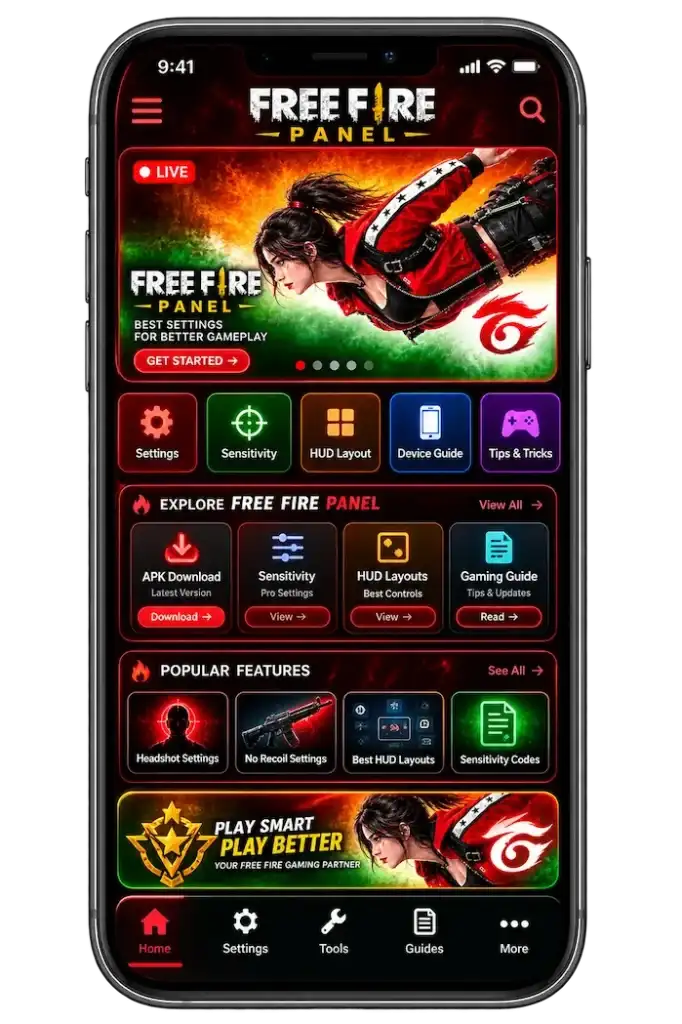
Free Fire Panel APK Features
The available features depend on the specific version, but common configuration areas include the following.
Sensitivity Configuration
Sensitivity settings control how quickly the camera, aim, or other controls respond to touch input. Players often adjust these values to find a balance between quick movement and precise control.
HUD and Control Customization
A customizable HUD can help players place important controls where they can reach them comfortably. Button size, position, and overall layout can make a noticeable difference in how easy the controls feel to use.
Aim and Camera Settings
Some panels may provide settings related to aim or camera behavior. These options should be tested gradually because a setting that feels comfortable for one player may feel too fast or too slow for another.
Device-Based Configuration
Different Android phones have different displays, processors, RAM capacities, refresh rates, and touch responses. Device-based configuration can help users approach settings with their hardware in mind.
Quick Settings Adjustment
A panel can make it easier to review several configuration options in one place instead of searching through different menus.
Graphics and Performance Options
Some versions may include graphics or performance-related options. These should be used carefully because changing configuration values does not automatically overcome hardware limitations.
Lightweight Interface
A simple interface can make a configuration tool easier to navigate, particularly for users who are unfamiliar with advanced settings.
Organized Settings Dashboard
An organized dashboard can help users identify available options more quickly and make controlled adjustments instead of changing many settings at once.
Version and Configuration Updates
New versions may change available features or improve compatibility. Always check what has changed before replacing a working version with a newer APK.
Why These Features Matter
The main benefit of configuration tools is convenience. Instead of blindly copying someone else’s settings, users can experiment with different options and gradually find a setup that matches their device and play style.
Free Fire Panel Sensitivity Settings
Sensitivity is one of the most commonly discussed parts of Free Fire configuration.
General Sensitivity
General sensitivity affects overall camera and movement response. A higher value can feel faster, while a lower value may provide more controlled movement.
Red Dot Sensitivity
Red Dot sensitivity is useful when aiming with the Red Dot sight. Adjust it according to how quickly you want your aim to respond during short and medium-range encounters.
2X Scope Sensitivity
2X Scope sensitivity affects movement while using a 2X scope. Try small adjustments instead of changing the value dramatically.
4X Scope Sensitivity
4X Scope settings can feel very different from close-range sensitivity. A balanced value can make scoped movement easier to control.
Sniper Scope Sensitivity
Sniper-related sensitivity generally benefits from controlled movements. Extremely high sensitivity may make precise adjustments harder for some players.
Free Look Sensitivity
Free Look sensitivity affects how quickly you can look around without changing your main movement direction.
How to Choose the Right Sensitivity
There is no single sensitivity configuration that works perfectly for every player. Consider:
- Your phone’s touch response
- Screen size
- Display refresh rate
- Play style
- Finger placement
- Preferred weapon types
- Comfort during extended gameplay
Start with moderate changes and test them before making additional adjustments.
How to Test and Adjust Sensitivity
Change one setting at a time and test it during actual gameplay. If you change every sensitivity value simultaneously, it becomes difficult to determine which adjustment helped or caused a problem.
Free Fire Panel HUD and Control Settings
HUD customization is another important part of configuring a comfortable setup.
Fire Button Position
Place the fire button where you can reach it naturally without stretching your finger or interfering with other controls.
Custom HUD Layout
A custom HUD can organize frequently used controls around your preferred finger positions.
Button Size and Position
Button size affects accessibility. A button that is too small can be difficult to press accurately, while an oversized button may interfere with nearby controls.
Aim and Drag Control
Players who use drag-based control techniques may prefer a layout that provides enough space for smooth finger movement.
Close-Range Setup
Close-range encounters often require fast reactions, so controls should be easy to reach and visually clear.
Long-Range Setup
Long-range gameplay generally benefits from a layout that allows controlled aiming without accidentally pressing nearby buttons.
Finding a Comfortable Layout
Comfort should come before copying another player’s HUD. A popular layout may work well for one screen size and poorly on another.
How Does Free Fire Panel Work?
The phrase Free Fire Panel Work is generally used by people trying to understand how a panel functions.
A typical configuration process works like this:
- Open the panel or configuration interface.
- Review the available options.
- Select the sensitivity, HUD, or control settings you want to change.
- Apply or save the configuration if the version supports that function.
- Open Free Fire and test the changes.
- Adjust the settings again if necessary.
The exact process depends on the specific APK.
How the Panel Handles Configuration
A panel may organize different configuration options into one interface. Some versions may provide presets, while others may require users to adjust values manually.
Applying Sensitivity and Control Settings
When a panel provides configuration options, apply them carefully and check whether the changes actually affect your game as expected.
Testing Settings in the Game
Never assume that a configuration will work exactly as advertised. Test the settings in gameplay and make adjustments based on your own experience.
Why Settings Can Differ Between Devices
Two phones can produce different results from the same settings because of differences in:
- Screen dimensions
- Touch sampling
- Refresh rate
- Processing performance
- RAM
- Android version
- Game version
What a Panel Cannot Guarantee
A configuration tool cannot guarantee perfect aim, automatic headshots, or identical performance on every device. Gameplay still depends on player skill, device behavior, connection quality, and the settings being used.

How to Choose the Right Free Fire Panel Settings
Finding suitable settings is usually a process of testing rather than copying.
Consider Device Performance
Lower-end phones may require a different approach from high-performance devices. Avoid configurations that make your device unstable or uncomfortable to use.
Check Screen Size and Touch Response
Screen size and touch response can change how sensitivity and HUD layouts feel.
Match Settings to Your Play Style
Aggressive close-range players may prefer a different control setup from players who spend more time in long-range engagements.
Make One Change at a Time
Small, controlled adjustments make it easier to identify which setting affects your gameplay.
Test Before Making More Changes
Give a new configuration enough time to evaluate it before changing everything again.
Keep Comfortable Settings as a Backup
If you find a configuration that works well for you, keep a record of the values so you can restore them after an update or reinstall.
Free Fire Panel APK for Android
Free Fire Panel APK Android is a common search because APK files are primarily associated with Android installation.
Compatibility depends on the APK version and your device.
Android Compatibility
Before installing, check the Android version required by the APK. An application designed for a newer Android release may not work correctly on an older phone.
Free Fire Panel on Low-End Android Phones
Low-end phones may have limited RAM, processing power, or storage. A configuration tool should not be expected to remove the hardware limitations of the device.
Keep enough free storage and avoid unnecessary background applications when testing a new configuration.
Free Fire Panel on Mid-Range Devices
Mid-range phones generally provide more flexibility, but compatibility still depends on Android and game versions.
Free Fire Panel on High-End Phones
High-end devices can support demanding games more comfortably, but configuration settings should still be adjusted according to personal preference rather than hardware specifications alone.
Free Fire Panel on Android Tablets
Tablet users may need different HUD arrangements because of the larger display. A phone layout may not translate well to a tablet screen.
Minimum Device Requirements
There is no universal requirement for every Free Fire Panel APK. Check the specific version’s Android requirement, storage needs, permissions, and compatibility information before installing it.
Free Fire MAX Panel
Free Fire Panel Max is generally used to describe a panel or configuration setup intended for Free Fire MAX.
What Is a Free Fire MAX Panel?
A Free Fire MAX Panel refers to a configuration tool or setup associated with the MAX version of the game. The exact features depend on the particular APK.
Free Fire MAX and Free Fire Panel Difference
Free Fire and Free Fire MAX can differ in graphics, performance requirements, and supported environments. Because of these differences, a configuration that works in one version may not behave identically in the other.
Free Fire MAX Panel Compatibility
Check the APK’s stated compatibility with the Free Fire MAX version installed on your device.
Free Fire MAX Panel APK
If you are considering a Free Fire MAX panel APK, verify the file source, version, permissions, and Android compatibility before installation.
Panel for Free Fire MAX
Users should avoid assuming that every Free Fire Panel APK automatically supports Free Fire MAX. Compatibility should be confirmed for the particular version.
Free Fire Panel APK Mod
A Free Fire Panel APK mod generally refers to a modified version of an APK. The term “mod” does not by itself confirm that a particular feature is genuine, safe, or compatible.
What Does Free Fire Panel APK Mod Mean?
A modded APK is an application package that has been altered from its original form. Different versions may advertise different features.
How Modified APKs Can Differ
Modified files may contain changed interfaces, additional settings, or altered behavior. However, modifications can also introduce compatibility and security problems.
Features Advertised by Modified Versions
Always verify advertised features instead of assuming that a description guarantees their availability.
Compatibility Issues With Modded APKs
A modified APK may stop working after an Android or game update. It may also conflict with another application or require a different Android version.
Security Risks of Modified APKs
Third-party modifications can carry additional risks because users may not know exactly what was changed in the package.
Why You Should Verify Mod APK Files
Before installing a modified APK, check its source, scan the file, review requested permissions, and avoid providing sensitive login information to an untrusted application.
Free Fire Panel Latest Version
The latest version can change as developers or distributors release updates. For that reason, users should verify the version number rather than relying on an old article or filename.
What Does “Latest Version” Mean?
The latest version is the most recent release available from the relevant source at the time you check it.
Why Free Fire Panel Updates Matter
Updates can change compatibility, fix bugs, alter features, or affect how a panel interacts with a newer game or Android version.
Checking Version Compatibility
Before updating, compare the new APK’s requirements with your current Android version and game version.
What to Check Before Updating
Check:
- Version number
- Release information
- Android requirements
- File source
- Permissions
- Compatibility
- Available storage
Avoiding Outdated or Repackaged APKs
An old APK may no longer work correctly, while an unknown repackaged file may introduce unwanted changes. Verify the file before installation.
Free Fire Panel APK Download
Before downloading Free Fire Panel APK, check the file and compatibility information carefully.
What to Check Before Downloading
Confirm:
- APK version
- Android requirement
- File size
- Source
- Permissions
- Compatibility
- Available storage
Verify the APK File
If possible, scan the downloaded file with a trusted security tool before installing it.
Check Android Compatibility
Make sure your device meets the APK’s stated Android requirements.
Review the Download Source
Third-party APKs should be obtained only from sources you trust. Avoid files distributed through suspicious pop-ups, misleading download buttons, or unknown pages.
Check Available Storage
Ensure that your device has enough free storage for both the APK and the installed application.
Download Free Fire Panel APK only after checking these details.
How to Install Free Fire Panel APK on Android
Installing an APK requires a few basic checks before you open the file.
Step 1 — Check Your Android Version
Confirm that your phone meets the APK’s Android requirement.
Step 2 — Check Available Storage
Make sure sufficient storage is available for installation.
Step 3 — Download the APK
Download the required APK file from a source you trust.
Step 4 — Verify the APK File
Check the file and scan it with a trusted security solution before opening it.
Step 5 — Allow APK Installation When Required
Android may ask you to allow installation from the source you used. Only enable this when you understand the source and trust the file.
Step 6 — Install the Application
Open the verified APK and follow Android’s installation prompts.
Step 7 — Open and Configure the Panel
Launch the application and review the available options before changing anything.
Step 8 — Test Your Settings
Open the game and test the configuration. If something feels uncomfortable, return to the panel and make smaller adjustments.
How to Use Free Fire Panel
Once installed, using the panel should be approached gradually.
Explore the Dashboard
Start by identifying the available sections and settings.
Review Available Options
Understand what a setting changes before applying it.
Configure Sensitivity
Adjust sensitivity according to your device and preferred play style.
Adjust HUD and Controls
Position buttons where they are easy to reach and do not interfere with other controls.
Save Your Preferred Configuration
If the panel provides a save option, keep a copy of a configuration that works well for you.
Test the Configuration
Test your changes during actual gameplay rather than assuming they will work perfectly.
Fine-Tune Your Settings
Make small changes until the controls feel consistent and comfortable.
Free Fire Panel Device Compatibility
Device compatibility can depend on both the Android environment and the game version.
Android Smartphones
Most APK-based panel searches are focused on Android smartphones, but the required Android version can vary.
Android Tablets
Tablets may require different HUD arrangements because of their larger displays.
Android TV and TV Boxes
An Android APK may install on some Android TV environments, but touch-focused controls can make practical use difficult. Compatibility should be confirmed before installation.
PC and Android Emulators
Some Android emulators can run APK files, but emulator compatibility depends on the specific panel and its configuration requirements.
Free Fire Game Version Compatibility
A panel may work with one game version and stop working after an update. Always check compatibility when the game changes significantly.
Free Fire MAX Compatibility
Free Fire MAX should be treated separately when checking compatibility. Do not assume that support for standard Free Fire automatically means support for MAX.
Is Free Fire Panel APK Safe?
Safety depends heavily on where the APK comes from and what has been included in the file.
Check the APK Source
Use a source you trust and avoid suspicious pages that force unnecessary downloads.
Review App Permissions
Pay attention to permissions requested by the application. Permissions that appear unrelated to its stated purpose deserve extra scrutiny.
Scan the Downloaded File
Use a reputable security tool to check the APK before installation.
Avoid Suspicious Modified APKs
Modified files can contain unknown changes. Avoid APKs that make unrealistic promises or ask for unnecessary personal information.
Protect Your Free Fire Account
Never provide your game login credentials to an untrusted application or website.
Configuration Tools vs. Cheats
A configuration tool and a cheat are not automatically the same thing. Users should understand what an APK actually changes and review the game’s rules before using third-party tools.
Watch for Unrealistic Claims
Be cautious of claims such as guaranteed headshots, unlimited advantages, or perfect accuracy. Real gameplay performance depends on multiple factors.
What to Check Before Opening an APK
Before opening an unfamiliar APK:
- Verify its source
- Check the version
- Review permissions
- Scan the file
- Confirm Android compatibility
- Avoid entering sensitive credentials
Free Fire Panel vs FF Panel vs Panel FF
Users may encounter different names when searching for the same general topic.
What Does FF Panel Mean?
“FF Panel” is a shorter term commonly used to refer to a Free Fire panel.
What Does Panel FF Mean?
“Panel FF” reverses the word order but may refer to the same general concept in search queries.
Are Free Fire Panel and FF Panel the Same?
In many searches, these terms are used interchangeably. However, the actual application behind a name should always be checked because different websites can use similar terminology for different files.
Why Are Different Names Used?
People search using different word combinations, abbreviations, and language patterns. You do not need to assume that every variation represents a separate application.
Free Fire Panel Common Problems
APK Does Not Install
Check the Android version, available storage, file integrity, and whether the APK is compatible with your device.
Panel Does Not Open
Restart your device, check compatibility, and make sure the APK is intended for your Android version.
Installation Is Blocked
Android may block an APK because of security settings, an incompatible package, or an issue with the downloaded file.
Settings Do Not Apply
The panel may not support your current game version, or the configuration may not be compatible with your device.
Compatibility Problems
Check Android, game, device, and APK version compatibility together instead of checking only one requirement.
Panel Stops Working
A game or Android update may affect compatibility. Check whether a newer compatible version is available.
APK File Problems
A damaged or incomplete download can prevent installation. Download the file again from a trusted source if necessary.
Panel Stops Working After a Free Fire Update
Game updates can change how third-party configuration tools behave. Check the panel version and its compatibility with the new game release.
Free Fire MAX Panel Is Not Working
Confirm that the panel specifically supports Free Fire MAX and that your installed game version matches the supported environment.
Things to Check Before Using Free Fire Panel
Confirm Device Compatibility
Check your Android version, storage, hardware, and game version.
Check APK Version
Make sure the APK matches the version you intend to use.
Review Permissions
Look at what the application requests before granting access.
Maintain Enough Storage
Low storage can cause installation and performance problems.
Keep Android Updated
An up-to-date Android environment can improve compatibility and security, although updates can also change how older APKs behave.
Keep a Backup of Your Preferred Settings
Record comfortable sensitivity and HUD settings so you can restore them after reinstalling or changing versions.
Free Fire Panel APK Pros and Cons
Pros
- Convenient access to configuration options
- Easier sensitivity experimentation
- HUD customization
- Device-focused configuration
- Quick access to settings
- Useful for players who like to test different setups
Cons
- Compatibility can vary
- Third-party APKs can introduce security risks
- Modified versions may be unreliable
- One configuration does not suit every player
- Game or Android updates can affect functionality
- Some advertised features may not work as expected
Frequently Asked Questions
What Is Free Fire Panel APK?
Free Fire Panel APK generally refers to an Android application or configuration tool associated with Free Fire settings. Available features depend on the particular version.
How Does Free Fire Panel Work?
A panel typically organizes configuration options such as sensitivity, HUD, or controls. Users adjust available settings and then test them in the game.
Is Free Fire Panel APK Available for Android?
APK files are designed for Android installation, but the required Android version and compatibility can vary between releases.
Is Free Fire Panel APK Free?
Some versions may be distributed for free, while others may advertise additional features or different access conditions. Check the specific version before downloading.
What Is Free Fire Panel APK Mod?
It generally refers to a modified version of the APK. Modified files can differ from standard versions and should be checked carefully for security and compatibility.
Does Free Fire Panel Work With Free Fire MAX?
Some panels may support Free Fire MAX, while others may be designed for a different game version. Always confirm compatibility before installation.
Is Free Fire Panel APK Safe?
Safety depends on the file and its source. Verify the APK, review its permissions, scan it before installation, and avoid suspicious modified files.
How Do I Install Free Fire Panel APK?
Download and verify the APK, confirm Android compatibility, install it through Android’s package installer, and then configure the available options.
Can Free Fire Panel Work on Low-End Android Phones?
It may work on some low-end phones if the APK and Android version are compatible. However, a configuration tool cannot remove the hardware limitations of a low-end device.
Why Is My Free Fire Panel APK Not Installing?
Common causes include an incompatible Android version, insufficient storage, a damaged APK, blocked installation permissions, or an incompatible package.
Why Has Free Fire Panel Stopped Working?
A game or Android update can affect third-party APK compatibility. Check the APK version and whether it supports your current game environment.
Can Free Fire Panel Guarantee Headshots?
No configuration tool should be treated as a guarantee of headshots or perfect aim. Accuracy depends on player skill, controls, sensitivity, device response, and gameplay conditions.
Final Thoughts
Free Fire Panel APK is mainly searched by Android users who want to explore alternative ways of managing sensitivity, HUD, controls, and other gameplay-related configurations. The most useful setup depends on your device, game version, and personal playing style rather than a single universal configuration.
If you are considering a Free Fire Panel APK mod or a panel for Free Fire MAX, check the APK source, version, permissions, and compatibility before installing it. Test settings gradually and keep a record of configurations that feel comfortable.
A careful approach will help you avoid unnecessary compatibility and security problems while giving you a better understanding of which settings actually work for your device.